How Amazon S3 Files Changes Kubernetes Storage on EKS
How S3 Files enables shared storage for Kubernetes workloads on AWS Your data lives in S3. Your application needs a file system. And between those two things, you end up writing sync scripts, duplicating data into EFS, p...
How S3 Files enables shared storage for Kubernetes workloads on AWS
Your data lives in S3. Your application needs a file system. And between those two things, you end up writing sync scripts, duplicating data into EFS, paying double the storage cost, and still wondering why your pipeline is slow or your pods are failing on startup because the data was not ready yet.
This is not a small inconvenience. For teams running ML pipelines, multi-pod workloads, or anything that needs shared access to large datasets, this is a real architectural problem that wastes both time and money every single day.
Amazon S3 Files changes that. And if you are running workloads on EKS, this is one of those releases you actually need to pay attention to.

What is Amazon S3 Files?
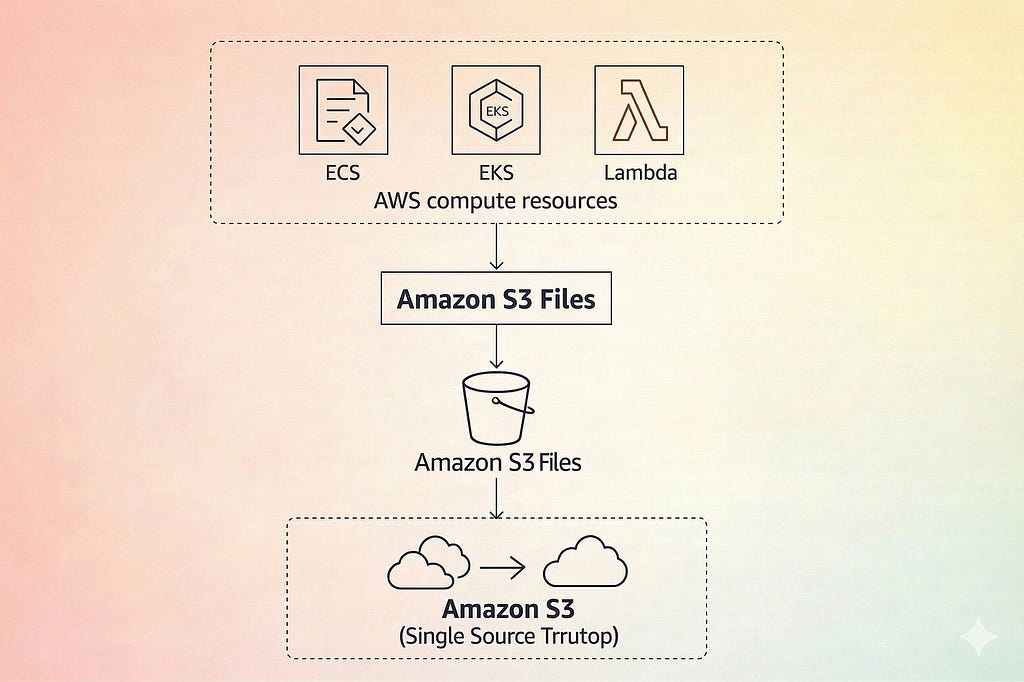
Amazon S3 Files is a feature that provides file system–like access to data stored in S3. Instead of interacting with S3 only through APIs, applications can access data using standard file operations.
In practice, this means an S3 bucket can be mounted and accessed similar to a network file system. Applications can read, write, and manage files using familiar file system interfaces and existing libraries, without requiring changes to how they handle data.
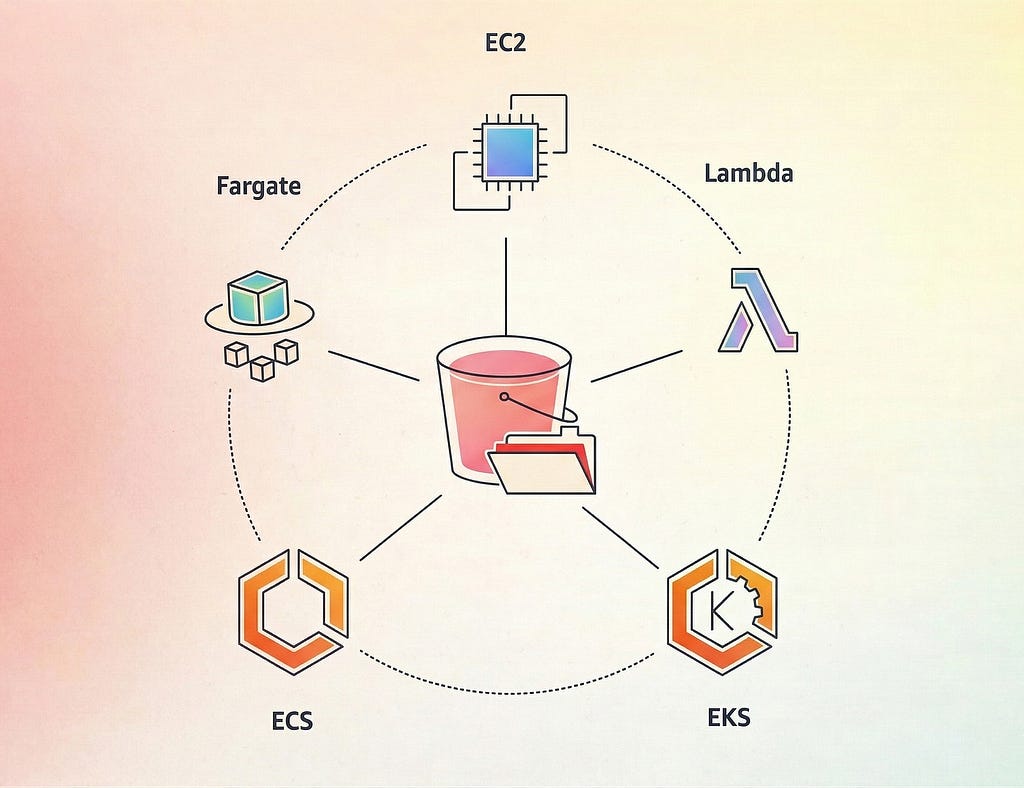
Multiple compute services — including EC2, ECS, and EKS — can access the same data concurrently through this interface, enabling shared access patterns that were difficult to implement with traditional S3 access methods.
An important aspect of this model is that the data remains in S3. There is no requirement to copy or synchronize data into a separate file system before it can be used. The same underlying data can be accessed both through standard S3 APIs and through the file system interface.
How Kubernetes Handles Storage
To understand how S3 Files integrates with EKS, it is useful to look at how Kubernetes handles storage at a high level.
Kubernetes uses three core objects for storage.
A PersistentVolume (PV) represents the actual storage resource, such as an EBS volume, an EFS file system, or an external storage system exposed through a CSI driver.
A PersistentVolumeClaim (PVC) is how a pod requests storage. It defines the required size and access mode, and Kubernetes binds it to a matching PersistentVolume.
A StorageClass defines how storage should be provisioned. It is associated with a specific CSI driver and includes configuration parameters for dynamic provisioning.
The CSI driver (Container Storage Interface) is the integration layer that allows external storage systems to work with Kubernetes. AWS provides CSI drivers for services like EBS, EFS, and S3-based access.
S3 Files integrates into this model through a CSI-based approach, which enables it to be mounted and used by pods like other external storage systems.
How S3 and EKS Used to Work Together
Before S3 Files, using S3 storage on EKS typically involved the Mountpoint for Amazon S3 CSI driver. Mountpoint for S3 started as an open-source FUSE-based client and was later integrated into Kubernetes through a CSI driver.
It worked well for read-heavy workloads where pods needed to access data directly from S3 without copying it first. However, it had limitations that made it unsuitable for general-purpose or write-heavy use cases.
S3 objects are immutable, so modifying part of a file required replacing the entire object. There was no support for file locking, which made concurrent writes across multiple pods unreliable. Common file system operations such as directory renames were also not supported. As a result, workloads requiring shared read-write access across pods could not rely on this approach.
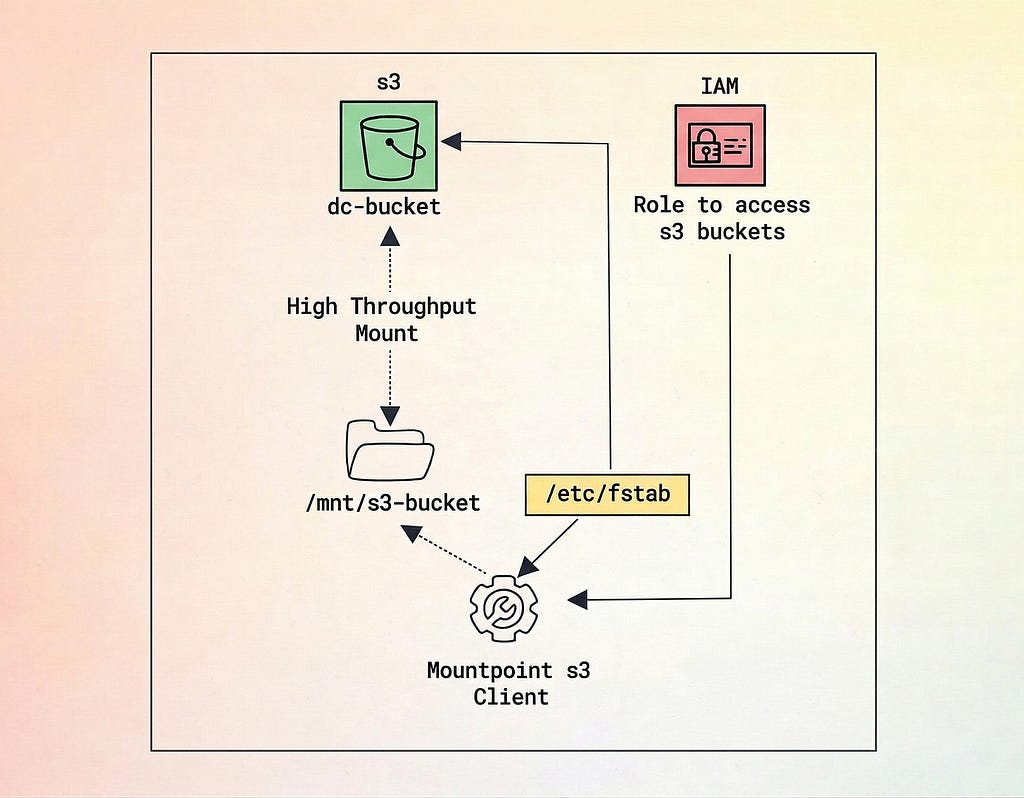
In practice, this led to a two-layer storage pattern: S3 for durable storage and EFS for file system access. Data was often copied or synchronized between the two, increasing cost and adding operational overhead.
How S3 Files Works with EKS
S3 Files integrates with EKS through a CSI-based approach. Instead of using the Mountpoint for S3 CSI driver, it relies on the Amazon EFS CSI driver (version 3.0.0 or above) to enable mounting through a file system interface.
The setup involves a few key steps.
First, create an S3 file system associated with your bucket:
aws s3files create-file-system \
  --bucket your-bucket-name \
  --file-system-name my-s3-filesystem
This returns a file system identifier, which is used when defining the PersistentVolume in Kubernetes.
Next, configure IAM permissions for your pods. This is typically done using EKS Pod Identities by attaching the required policy to the pod execution role:
aws iam attach-role-policy \
  --role-name your-eks-pod-role \
  --policy-arn arn:aws:iam::aws:policy/AmazonS3FilesCSIDriverPolicy
Then install or upgrade the EFS CSI driver in your cluster:
helm repo add aws-efs-csi-driver \
  https://kubernetes-sigs.github.io/aws-efs-csi-driver/
helm repo update
helm upgrade --install aws-efs-csi-driver \
  aws-efs-csi-driver/aws-efs-csi-driver \
  --namespace kube-system \
  --version 3.0.0
After this, define a PersistentVolume using the S3 file system identifier, bind it to a PersistentVolumeClaim, and mount it into your pods. This allows multiple pods to access the same underlying data through a shared file system interface.
One important requirement is that the EKS cluster and the S3 Files mount target must be within the same VPC. Ensure that network and security group configurations allow NFS traffic (port 2049) between worker nodes and the mount target.
Where S3 Files Actually Helps on EKS
S3 Files is not the right solution for every storage requirement on EKS. However, for specific workloads, it addresses long-standing limitations in how data is accessed and shared.
Machine learning training pipelines are a primary example. Large datasets are typically stored in S3, often ranging from tens to hundreds of gigabytes. Traditionally, this required staging data into a file system or copying it to nodes before processing could begin. With S3 Files, training pods can access the same dataset through a shared interface without requiring additional data movement.
AI agent workloads benefit in a similar way. These systems often need to persist state, write checkpoints, and share data across multiple pods running in parallel. A shared file system interface simplifies coordination, allowing different pods to read and write data in a more consistent manner.
Shared configuration and certain log-processing scenarios are also relevant. Instead of relying on intermediate systems to move data into S3, workloads can interact with shared files directly through the mounted interface. This can simplify how data is produced and consumed across pods.
Data lake workloads are another strong fit. When analytics data is already stored in S3 and processing tools expect a file system interface, S3 Files can reduce the need for intermediate data transfer steps before processing.
S3 Files vs EFS on EKS
S3 Files and EFS serve different purposes, even though both provide file system–style access for workloads on EKS.
EFS is designed for low-latency, fully managed file storage where data is frequently accessed. It is well suited for workloads that require consistent performance and traditional file system behavior across all data.
S3 Files is better aligned with scenarios where data already resides in S3 and needs to be accessed through a file system interface. Instead of maintaining a separate file system, it allows workloads to interact with the same underlying data using file-based access patterns.
Another key difference is access flexibility. With S3 Files, data remains in S3 and can still be accessed through standard S3 APIs, CLI tools, and SDKs. This allows the same dataset to be used across both object-based and file-based workflows. With EFS, data is managed separately and does not natively integrate with S3 without additional data movement.
In terms of workload fit, EFS is more suitable for latency-sensitive applications and environments that require full compatibility with file system operations. S3 Files is more appropriate for large datasets, shared access scenarios, and workflows where avoiding data duplication is important.
There are also platform considerations. EFS supports EKS workloads running on both EC2 and Fargate, while S3 Files is currently limited to EC2-backed nodes.
Limitations of Amazon S3 Files on EKS
S3 Files is a new capability and comes with limitations that are important to consider before using it in production.
Fargate is not supported. S3 Files currently works only with EC2-backed EKS nodes. Workloads running on Fargate cannot use this feature.
Static provisioning only. Dynamic provisioning is not available. File systems must be created separately, and PersistentVolumes need to be defined manually, which can add operational overhead.
S3 key length limits affect directory depth. S3 enforces a maximum object key length of 1,024 bytes. Applications that generate deeply nested paths or long file names may encounter this limit.
File-level operations are not available in CloudTrail. CloudTrail captures control plane actions such as creating or modifying file systems, but individual file operations are not logged at that level. Monitoring is typically available through aggregated metrics.
EFS CSI driver version requirement. S3 Files requires version 3.0.0 or later of the EFS CSI driver. Clusters running older versions must be upgraded before using this feature.
kubectl get deployment efs-csi-controller \
  -n kube-system \
  -o jsonpath=’{.spec.template.spec.containers[?(@.name==”efs-plugin”)].image}’
Conclusion
S3 Files addresses a long-standing gap in how storage is handled for EKS workloads. It introduces a way to access S3 data through a file system interface, reducing the need for separate storage layers in certain scenarios.
For EKS environments, this can simplify architectures that previously relied on combining S3 with a separate file system for application access. In cases where data already resides in S3, workloads can interact with it more directly without requiring additional data movement.
However, it is not a complete replacement for existing storage solutions. Limitations such as lack of Fargate support, static provisioning, and its early-stage nature mean it should be evaluated carefully before production use.
For workloads such as machine learning pipelines, shared data processing, and data lake access, S3 Files provides a practical alternative where file-based access to S3 data is required.
A reasonable approach is to start with controlled workloads, evaluate behavior, and determine where it fits within your existing architecture.
How Amazon S3 Files Changes Kubernetes Storage on EKS was originally published in DevOps.dev on Medium, where people are continuing the conversation by highlighting and responding to this story.